Instant Access
Your Casoola account loads the full game lobby, Interac cashier, and any active bonus balance the moment you log in.
Login at Casoola in Canada: Email & Password Access
Access your account in seconds — live dealer tables, Interac banking, and your active bonuses are one login away.
Keep Your Account Secure
What You Should Do
What You Should Avoid
Your Account, Secured
Instant Access
Your Casoola account loads the full game lobby, Interac cashier, and any active bonus balance the moment you log in.
Two-Factor Authentication
Enable 2FA on your account for an extra layer of protection beyond your password — available under account security settings.
All Devices, One Account
Sign in from your desktop browser, the mobile site, or the Casoola app for iOS and Android — your balance and game history sync in real time.
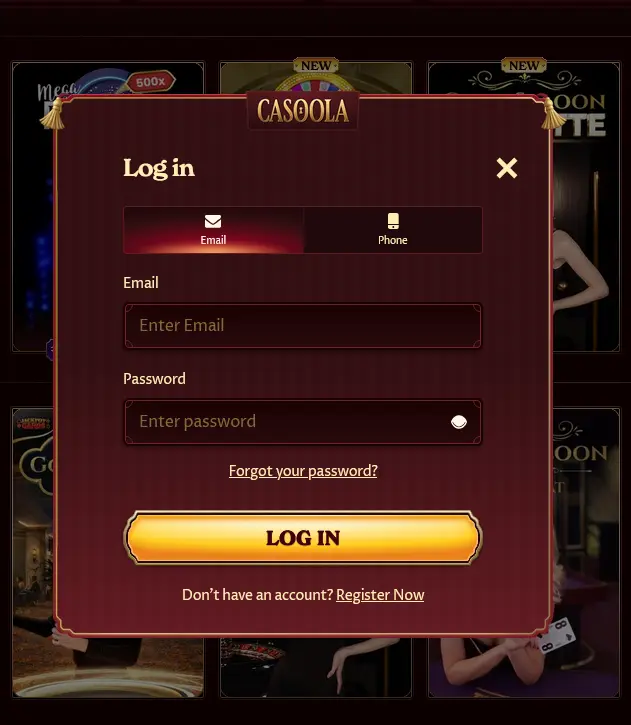
Casoola uses a standard email-and-password login system. You sign in with the email address and password you set when you registered, from any browser or the dedicated mobile app. Two-factor authentication (2FA) is available as an optional upgrade: once enabled, you will be prompted for a one-time code after entering your password, significantly reducing the risk of unauthorised access even if your password is ever exposed. Biometric login — fingerprint or Face ID — is available on compatible iOS and Android devices through the Casoola app, providing a fast and secure alternative to typing credentials on a small screen.
Open your preferred browser and go to casoolacasino24.com. Click the sign-in button in the upper right corner of the homepage. Enter the email address linked to your account, then your password, and click confirm. The platform will load your account dashboard with your current balance, active bonus funds, and the full game lobby within a few seconds. If you have 2FA enabled, you will be asked to enter the six-digit code from your authenticator app before access is granted.
Navigate to casoolacasino24.com in your phone’s browser — the site detects mobile devices automatically and delivers the touch-optimised layout. The sign-in button sits in the header; tap it, enter your credentials, and your account opens with the full catalogue including live dealer tables and the Interac cashier. No app download is required for mobile browser access.
Open the Casoola app on your iOS or Android device. On the launch screen, tap sign in and enter your registered email and password. If biometric login has been activated, you can use fingerprint or Face ID instead. Your account syncs instantly, including any active free spins or bonus balances, and the app retains your session between uses so you do not need to re-enter credentials each time unless you manually sign out.
Your Casoola account holds your real-money balance, your identity documents, and your personal information, so the security measures applied to it carry real-world weight. Casoola protects the platform at the infrastructure level using 128-bit SSL encryption across all connections, which means every piece of data exchanged between your device and the casino’s servers is encrypted in transit. At the account level, you are responsible for maintaining a strong password and deciding whether to activate 2FA.
A strong password for your Casoola account should be at least twelve characters long, combining uppercase and lowercase letters, numbers, and symbols. It should be different from any password you use elsewhere. If you are concerned that your credentials may have been compromised, change your password immediately via account settings and contact the support team at [email protected] to flag the situation. The security team can lock your account while you reset access.
Account access issues usually fall into one of a few categories. A forgotten password is resolved by clicking the forgotten password link on the login page and following the reset instructions sent to your registered email address. If the reset email does not arrive within a few minutes, check your spam folder and verify you are using the correct email address — the one you registered with at Casoola.
If your password is correct but the page is not loading, the cause is often a browser cache issue or a stale cookie. Clear your browser history and cookies for casoolacasino24.com, reload the page, and try again. Alternatively, open an incognito or private browsing window, which starts a clean session with no cached data. Switching to a different browser or device will confirm whether the issue is device-specific.
A locked account is a different situation. Casoola may place a temporary lock on an account after multiple failed login attempts as a security measure. If this applies to your account, contact live chat support or email [email protected] directly. The support team is available 24/7 across Canadian time zones and can verify your identity and restore access once the security check is complete.
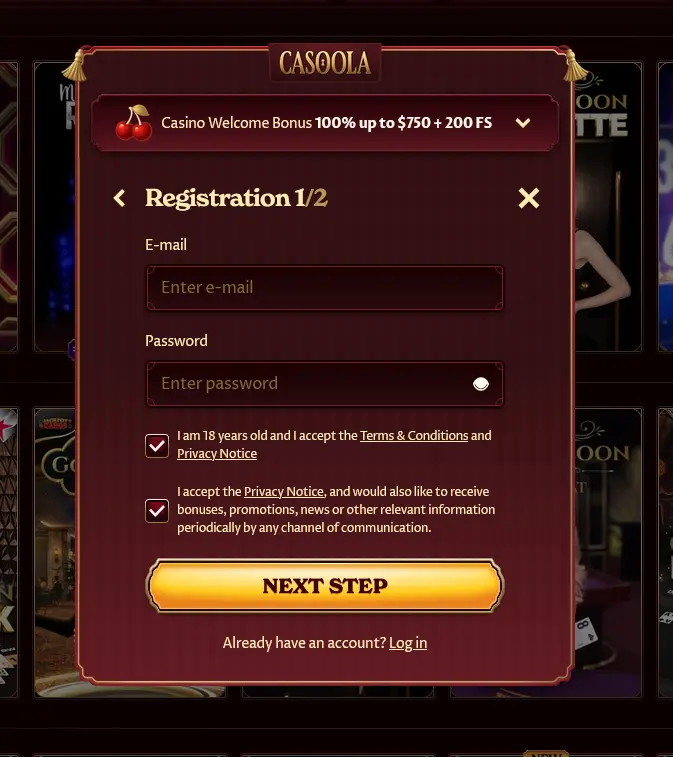
If you have not registered with Casoola, creating an account is straightforward and takes under five minutes. Go to the homepage, click the registration button, and complete the form with your personal details and a chosen password. Select CAD as your account currency to ensure all deposits, withdrawals, and bonus amounts are displayed in Canadian dollars without conversion. Once your email address is confirmed, your account is active and you can make your first deposit using Interac, iDebit, Instadebit, or any other supported method. Players must be 19 years of age or older (18+ in Alberta, Manitoba and Quebec) to register and play.
Login Questions Answered
The most common causes are a browser cache conflict or a temporary session issue. Clear your browser cookies, try a different browser or device, and ensure you are on the official casoolacasino24.com domain. If the issue persists, contact live chat support.
Yes. The Casoola mobile browser site is fully functional and gives access to your account, the complete slots and live casino catalogue, and the Interac cashier without any download required.
Click the forgotten password link on the login page and enter the email address registered to your account. A password-reset link will be sent to that address; follow the instructions to create a new password.
No. Under Casoola's terms, each player may hold only one account. Duplicate accounts may be closed and any associated balances forfeited. If you cannot access your existing account, contact [email protected].
Ready to Play? Sign In Now
Grab 100% up to $750 and 200 free spins.
Enter Casoola Play responsibly. You must be 19 or older (18+ in Alberta, Manitoba and Quebec) to participate, and all bonuses are subject to wagering conditions.